




What’s new in PASK 1.11.0?
- Reconciliation of permissions
Additional functionalities and improvements
- Expansion of the Access Report with the ability to filter resources.
- Ability to disable all notifications without losing your configuration.
- Expanded the forms definition preview with information about business role categories and order justification in the order, forms and task views.
- Expanding the list of identity groups, the ability to view its composition.
- An alternative view of the identity list, presenting them as tiles in alphabetical order.
Reconciliation of permissions
Permission reconciliation allows for a comparison of permission status between PASK and the external systems where they are assigned. This process allows for greater control over permissions and ensures their compliance.
Reconciliation in PASK can be performed in two ways described below.
- Manually – using an Excel file in the appropriate format.
The user can import the file into the PASK system and initiate the reconciliation process. During this process, the system will compare the permissions data in PASK with that contained in the imported file. - Automatically – using a connector.
The system allows you to set up a cyclical, automatic “Data Reconciliation” process that compares the authorization status between PASK and external systems according to a pre-defined schedule.
PASK can configure any number of individual reconciliations. During configuration, you must specify the name, scope, and link to a properly configured connector that retrieves data from the external system.
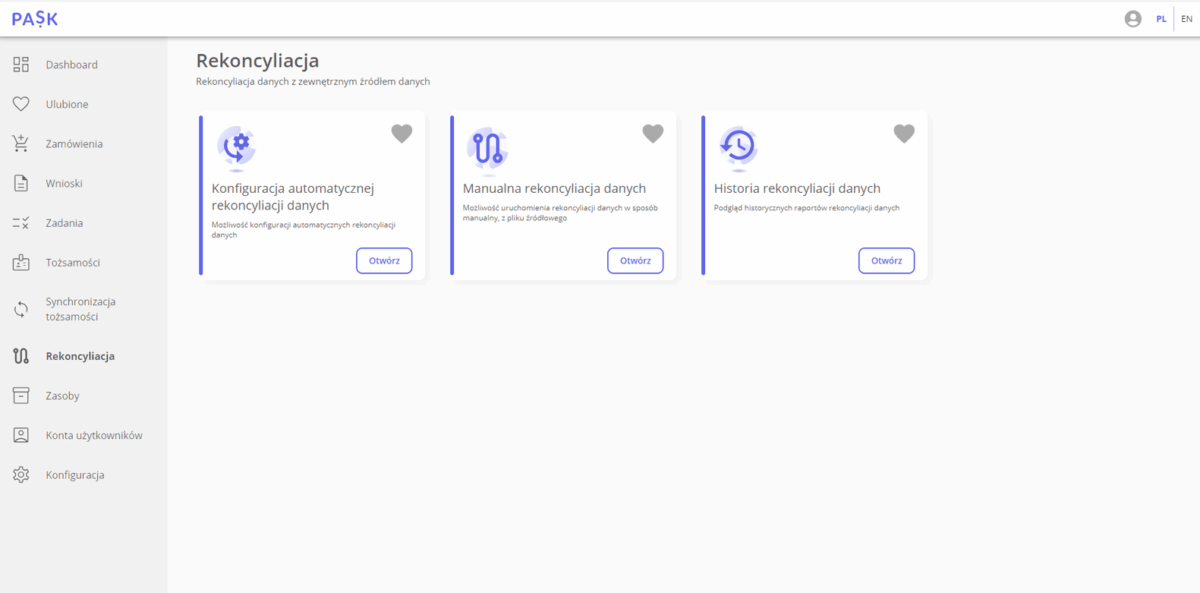
Reconciliation tab in the main menu
Report of reconciliation
Main indicator: defining the ratio of correct pairs to the sum of correct and main errors.
After reconciliation, a report is generated, defining indicators that assess the overall degree of compatibility between permission pairs. Two indicators are distinguished:
- Main indicator: defining the ratio of correct pairs to the sum of correct and main errors.
- Extended index: determining the ratio of correct pairs to the sum of all reconciliation results (correct pairs and errors).
The report presents a detailed comparison of permission status, including information about identities, resources, and their attributes. A key element of the report is the reconciliation result for each permission pair compared. The results are color-coded as follows:
- green color indicates full compatibility of permission pairs,
- orange color indicates inconsistencies, such as: authorization or identity does not exist in PASK or incorrect data in the external source,
- red color indicates major errors, such as: no authorization in the external source or in PASK, incorrect data in PASK, duplicate authorization or lack of uniqueness of the identity attribute.
The report allows you to filter the list of permission pairs that fully match the external source and the incorrect pairs.
In PASK it is possible to view historical reconciliation reports.
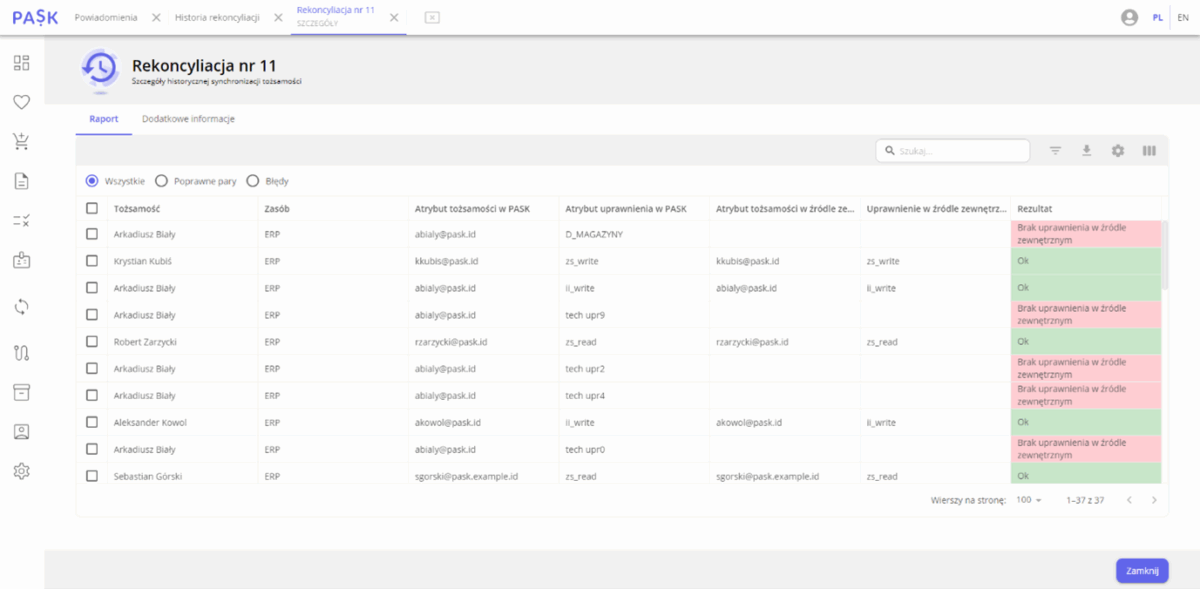
Report of reconciliation
Notification of completed reconciliation
A new notification type, “Identity Reconciliation Complete,” has been added, which is sent to selected identities or groups. The notification informs you that reconciliation has completed and allows you to access the report. It also provides basic information about the reconciliation process, including:
- Status: confirming completion of reconciliation,
- Resources: specifying which systems were affected by reconciliation,
- Type: indicating whether reconciliation was automatic or manual,
- The connector by means of which the process was carried out,
- Reconciliation indicators, assessing the overall degree of compatibility of pairs of permissions.
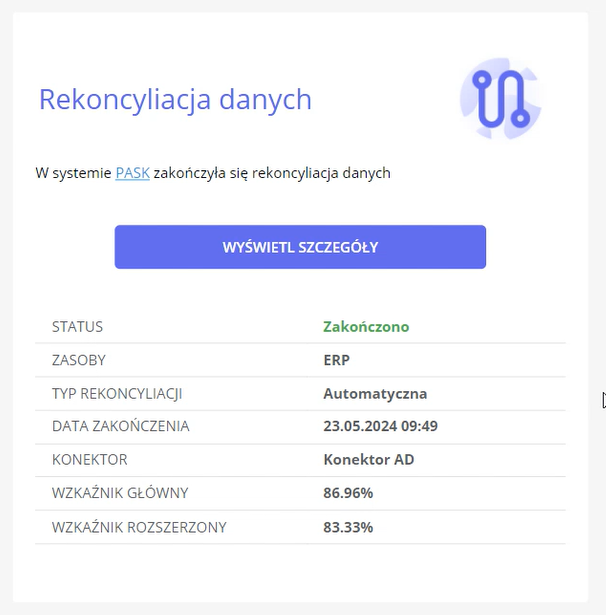
“Identity Reconciliation Complete” Notification