





Our primary goal is to improve the system we deliver to meet user needs. That’s why, in version 2.2.0 of PASK, we’ve introduced significant improvements in several areas and a new functionality enabling accesses review. This functionality was implemented in response to the requirements of the EU Digital Operational Resilience Act (DORA), which requires financial institutions and ICT providers to regularly review access to minimize risks related to data security and the operational resilience of their systems.
Permissions reviews
The PASK system has a new feature called “Permissions Reviews,” which allows you to generate different reviews based on your purpose, at your request. These reviews can be configured as needed, limiting them to specific Resources or selected identities.
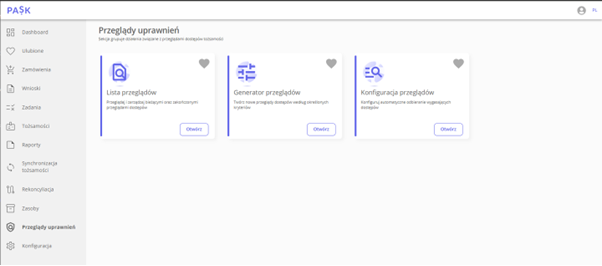
A new space designed to generate permissions reviews.
The review generation process consists of 4 steps:
Step 1. Defining one of the following four goals:
- Extending access – allows you to leave the expiration date unchanged or extend access for a default or maximum specified period. This goal also allows you to modify the expiration date between the date of the operation and the current access date.
- Confirming the expiration date allows you to maintain the current expiration date or shorten it to a maximum of the day the operation was performed. Similar to the first goal, this allows you to modify the expiration date between the current date and the current access date.
- Expiration Date Modification – This allows you to completely change the expiration dates of accesses in the system. It allows you to shorten them, leave them unchanged, or extend them by the default or maximum period, and also allows you to select any date between the current day and the current access date.
- Confirm accesses – allows you to select which accesses should be approved or denied.
Changes made within the three expiration date goals automatically modify the expiration date immediately after the decision is saved. When selecting the access confirmation goal, changes are saved only within the given review, without attempting to take automatic action. This goal verifies the validity of accesses for the identities visible in the review, but does not affect their status or expiration date.
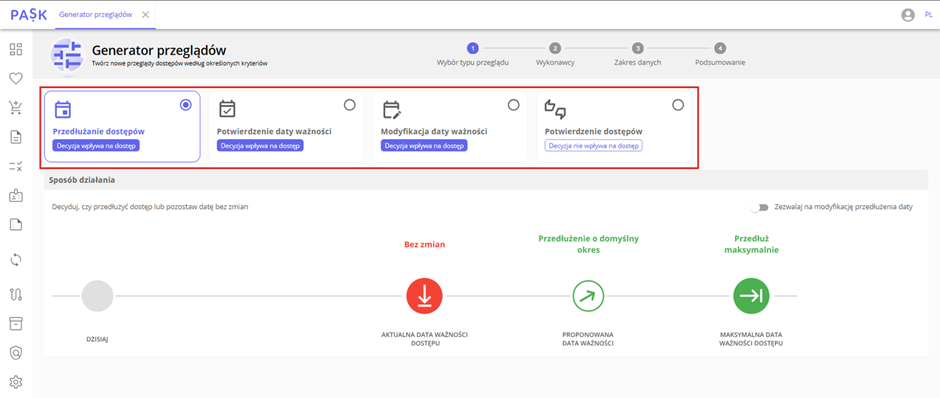
View of the overview generator and the 4 available targets to choose from
Step 2. Defining the executor (supervisor, resource owner, resource administrator) who, depending on the chosen purpose, will decide whether to maintain or revoke access or its expiry date.
Step 3. Select the scope of data and identities whose accesses you want to view. Available configuration options include:
- including or omitting accesses with a valid (configured) decision validity date,
- identification of resources to be reviewed,
- limiting the list of identities in terms of positions or organizational units.
Step 4. Establishing the validity date of the decision.
From the perspective of the administrator and auditor, the generated overview shows all accesses together with the decisions to be made.
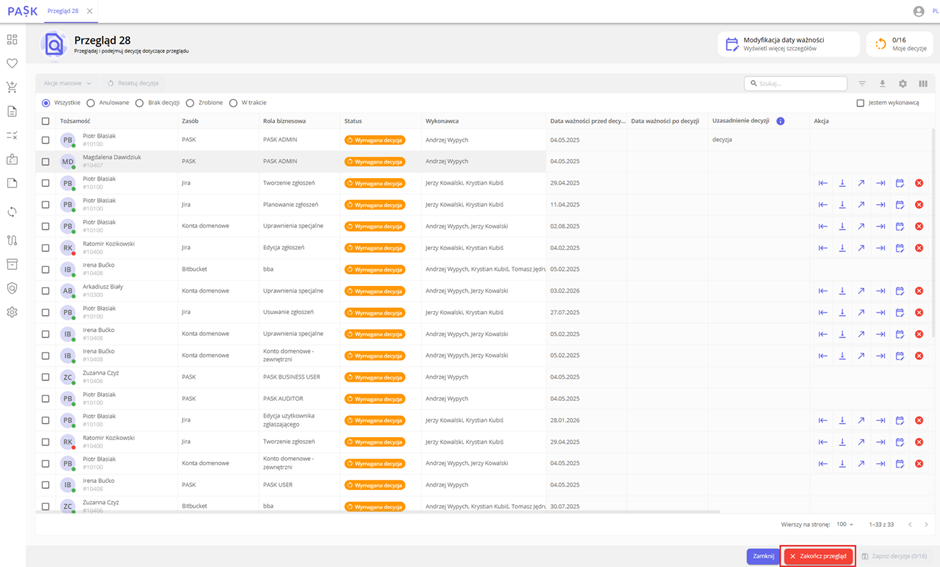
View of the generated access overview
Order area
Previously, orders covered a group of people, but in version 2.2.0 of PASK, you can quickly view and modify roles assigned to a single selected identity. We’ve also introduced the option to modify accesses directly from a specific identity, further simplifying access management.
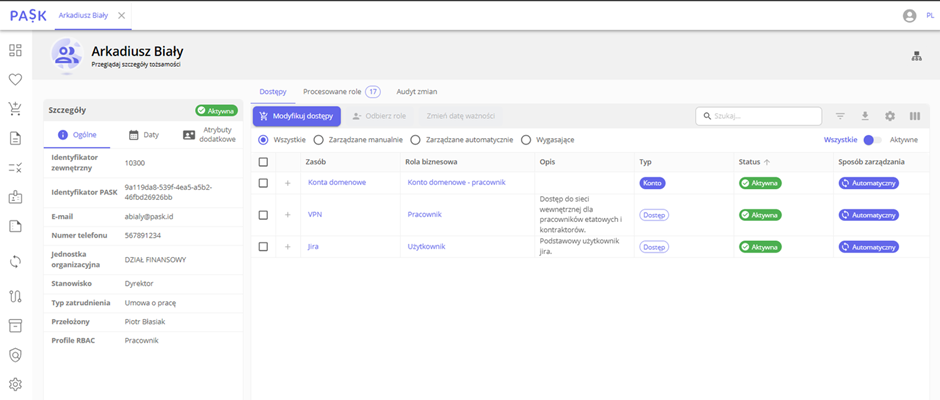
View from the selected identity level
Reports area
As part of the PASK 2.2.0 update, we have improved the way reports are generated, and the dedicated space has been moved to the side menu.
We have also added new report types.
- Configuration reports – covering resources, permissions, business roles and accounts.
- Review reports – providing quick access to information about access reviews performed within the organization.
We have also introduced the ability to create and save your own report templates, which makes it easier to generate them periodically.
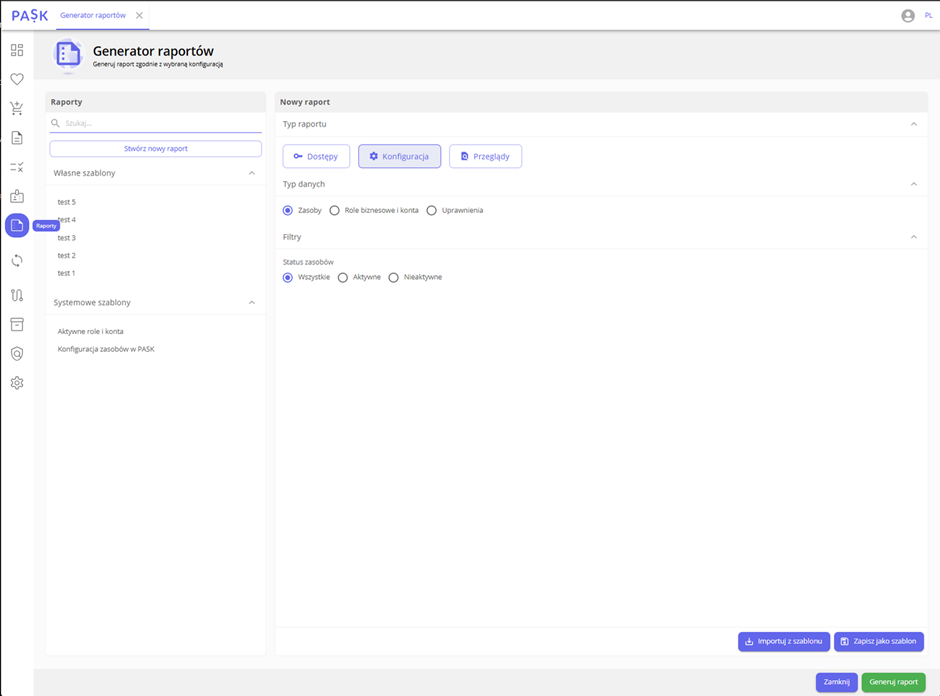
View from the report generator level
RBAC area
Changes also include RBAC (Role-Based Access Control) functionality. We’ve added an alert to the system informing about ongoing RBAC tasks in the configuration area. Validation and alerting have also been implemented, informing about potential conflicts between currently processed orders and RBAC profile configurations. Version 2.2.0 of PASK also allows you to save RBAC configurations even while orders are pending based on an RBAC profile, when a new profile or a new role is added to an existing profile.
As part of version 2.2.0 of PASK, we have also introduced the following improvements:
- Possibility of mass assigning/deleting role categories, which speeds up permission management.
- Information about the current approval stage for the approval task and email notifications that increase the transparency of the process.
- Action buttons places in rows (thumbs up and down icons) for approval tasks.
- Improved display of action buttons in resource configuration (roles list).
- “Collapse/expand all” buttons for so-called resource trees in the system.
- A clearer view of the resource list (tree view) was created by hiding roles and combining tabs.
- Automatic processes – improved process display.
- Optimized display of automatic processes, making it easier to monitor activities.